TUI client
The TUI is the Inspector’s terminal interface, with the same interactive exploration of tools, resources, and prompts as the web client. Use it on a remote host over SSH, in a locked-down environment, or when you prefer to stay in the terminal.
npx @modelcontextprotocol/inspector --tui node build/index.js # with an ad-hoc stdio server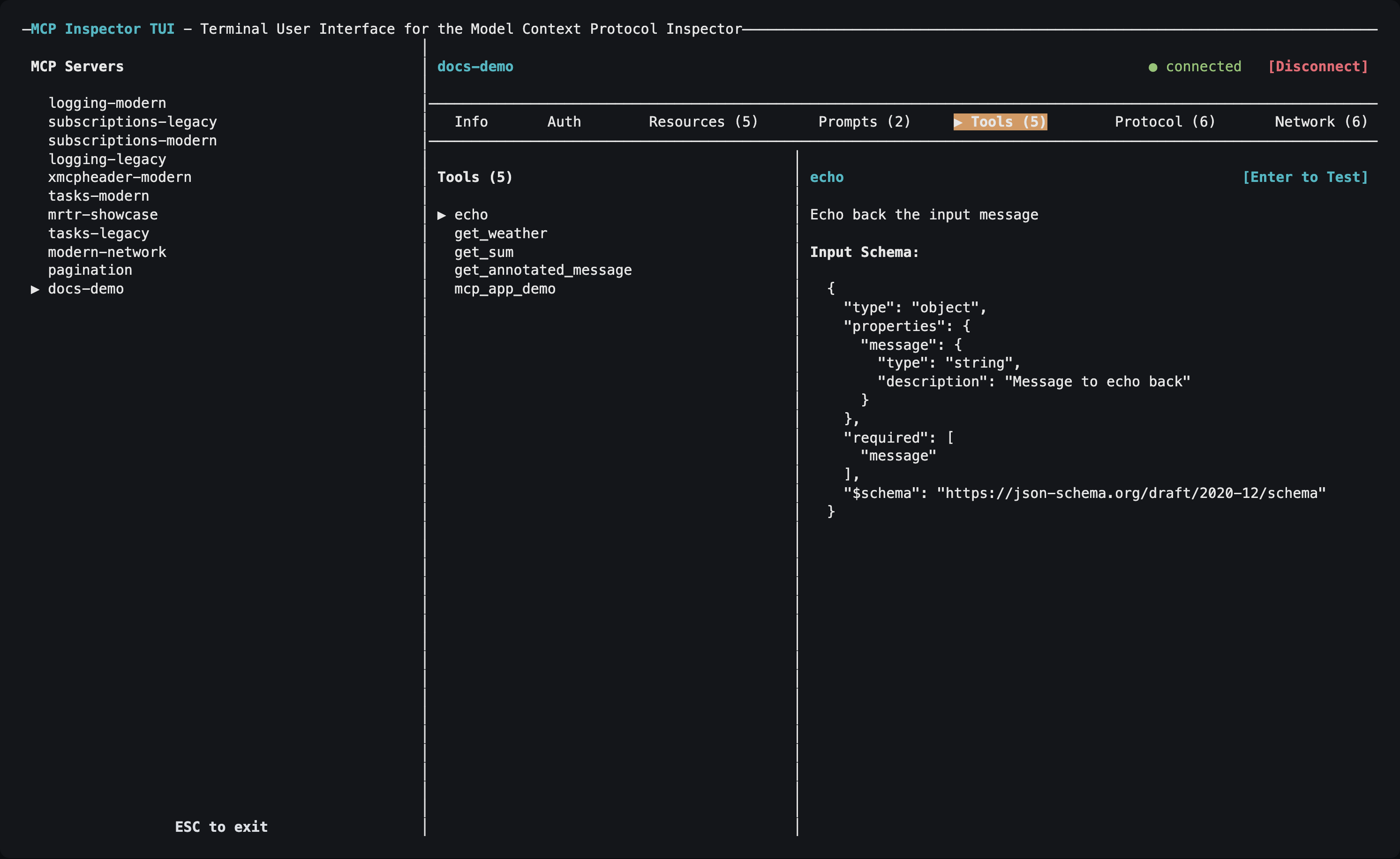
Choosing servers
Unlike the CLI, the TUI has no --server <name> flag for picking one entry: it reads its servers from a catalog or config file, loads every server in it, and lets you pick from an on-screen list:
mcp-inspector --tui --catalog mcp.json   # writable catalog, seeded empty if missing
mcp-inspector --tui --config mcp.json    # read-only session, errors if absent
With neither --catalog nor --config, and no ad-hoc target, it uses the default writable catalog ~/.mcp-inspector/mcp.json. See Configuration and flags.
The TUI also takes the shared server-selection flags (--server-url, --transport, --header, -e, --cwd) plus --protocol-era for an ad-hoc server, and the OAuth client flags (--client-id, --client-secret, --client-metadata-url, --client-config, --callback-url).
Tabs
| Tab | Key | What it shows |
|---|---|---|
| Info | i | Server configuration, name, version and instructions, plus the roots the client advertises (press e to edit them). |
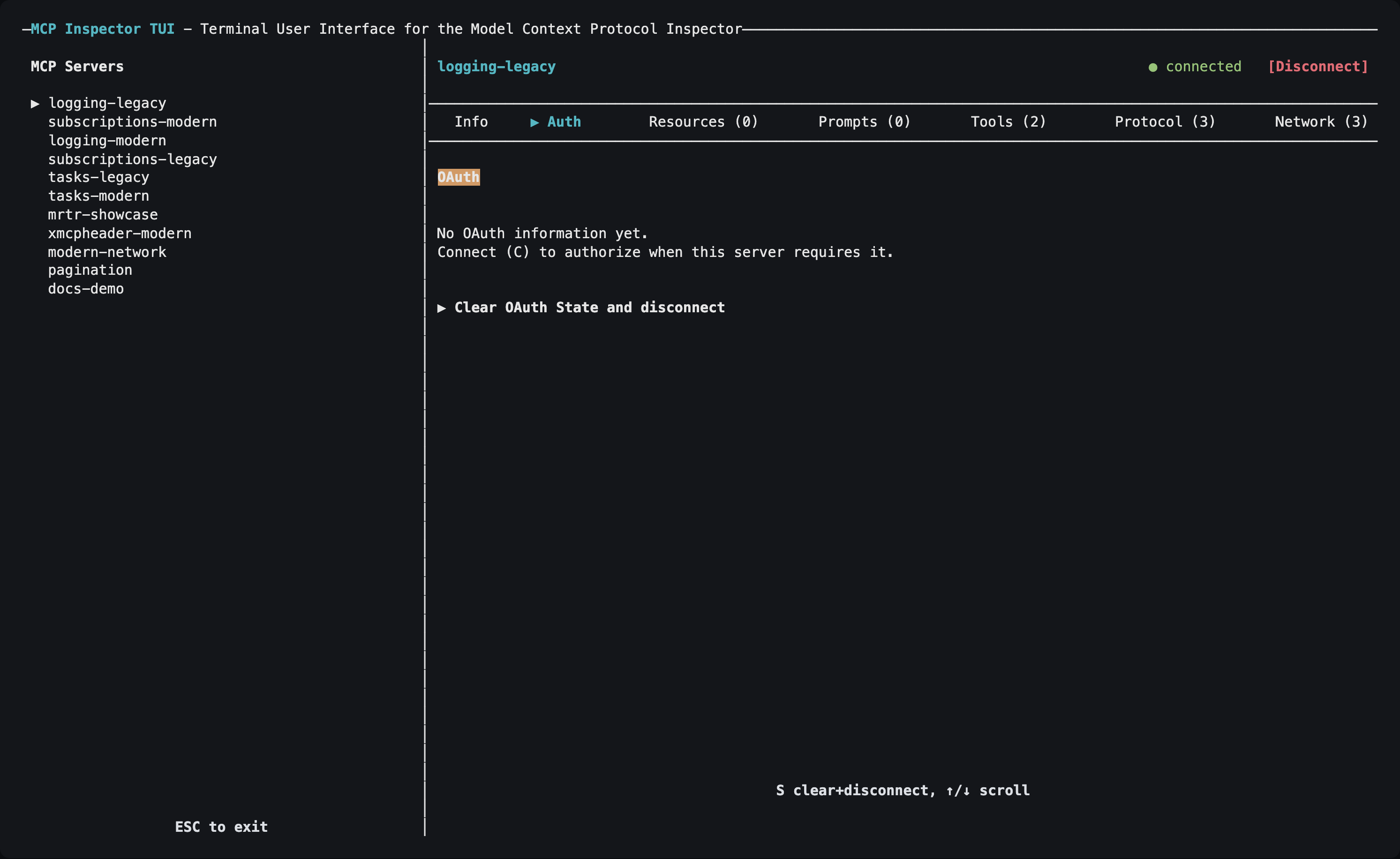
| Auth | a | OAuth state for the selected HTTP or SSE server, plus a Clear OAuth State action (s), which also disconnects a live connection. |
| Resources | r | Browse and read resources. |
| Subscriptions | u | Subscribe to and unsubscribe from resources (servers that support resource subscriptions). |
| Prompts | m | List prompts and render them with arguments. |
| Skills | k | List a server’s skills and verify their digests and frontmatter (servers that declare the skills extension). |
| Tools | t | View tools and execute them with form-like inputs. |
| Tasks | s | List tasks, fetch their results, cancel them, and clear finished ones (servers that support Tasks). |
| Protocol | p | JSON-RPC request/response/notification history. |
| Network | n | HTTP traffic for SSE and Streamable HTTP servers. |
| Console | o | stderr from a connected stdio server process. |
The accelerators avoid collisions rather than always taking the first letter: Protocol takes p so Prompts takes m, and Console takes o because c is the global Connect action. Tasks takes s, its only free letter, so Subscriptions takes u and Skills takes k.
Auth, Network, and Console appear only for the transports they apply to; Subscriptions, Skills, and Tasks appear only once a connected server supports them.
Navigation
| Key | Action |
|---|---|
Tab / Shift+Tab | Move focus: server list → tab bar → list → details |
Left / Right arrows (tab bar focused), or a tab’s letter | Switch tabs |
Up / Down arrows | Select a server, move through a list, or scroll details, depending on which pane has focus |
Enter | Select an item, execute a tool, or fetch a resource |
c | Connect to the selected server |
d | Disconnect |
/ | Filter the current list (Enter keeps the filter, Esc clears it) |
+ | Open the details pane full screen |
y / w | In a details dialog: copy the value, or save it to a file (w also saves a tool’s result) |
? | Show or hide the keybinding help |
Esc or Ctrl+C | Exit (Esc closes an open dialog first) |
Press ? whenever no dialog is open for the full keybinding reference, including the keys specific to the active tab.
Authorizing an HTTP server
- Select an HTTP or SSE server and press
cto connect. - If the server requires authorization, the TUI starts OAuth automatically and opens the authorization URL in a browser.
- When the browser redirect lands on the TUI’s loopback listener, the connection finishes on its own, with no second
c. - Use the Auth tab to inspect the resulting OAuth state, or to clear it.
The TUI’s callback listener defaults to http://127.0.0.1:6276/oauth/callback. The port is fixed on purpose: a pre-registered (static) OAuth client, a Client ID Metadata Document (CIMD), or an enterprise-managed IdP all need a redirect URI known in advance. Register that URI once and it works across sessions. On a remote host where your browser is on another machine, forward the callback port so the redirect reaches this listener; see Callback URLs.
The trade-off is that only one TUI OAuth flow can hold the port at a time; a second concurrent flow fails with EADDRINUSE. To override it, pass --callback-url or set MCP_OAUTH_CALLBACK_URL: use a different fixed port per instance, or http://127.0.0.1:0/oauth/callback for an OS-assigned ephemeral port when your authorization server registers redirect URIs dynamically.
localhost and
127.0.0.1 are different URIs as far as an authorization server is concerned.Per-server OAuth fields in the catalog (static client id/secret, scopes, the enterprise-managed flag) are applied automatically. Install-wide settings (CIMD, enterprise IdP) come from ~/.mcp-inspector/storage/client.json, the same file the web client’s Client Settings dialog writes. Point at a different one with --client-config or MCP_CLIENT_CONFIG_PATH.
See Authorization for the full picture.
Requirements
The TUI needs a real TTY with raw-mode support. It will not run usefully in a headless CI job; use the CLI there.