MCP Inspector
The MCP Inspector is the reference developer tool for testing and debugging MCP servers. It ships as a single package, @modelcontextprotocol/inspector, providing three clients behind one binary:
| Client | Invocation | What it’s for |
|---|---|---|
| Web | npx @modelcontextprotocol/inspector | A full graphical inspector in the browser. The default, and the richest surface. |
| CLI | npx @modelcontextprotocol/inspector --cli | A scriptable, machine-readable client for CI, shell pipelines, and coding agents. |
| TUI | npx @modelcontextprotocol/inspector --tui | An interactive terminal UI, for when a browser isn’t available or wanted. |
All three are built on the same shared core, so a connection behaves identically across them: the same transports, the same configuration files, the same OAuth state on disk, and the same protocol-era negotiation (legacy vs. modern 2026-07-28).
The package also installs mcpdo, an experimental connection client that connects to a server once and keeps it open across many commands, on the same core.
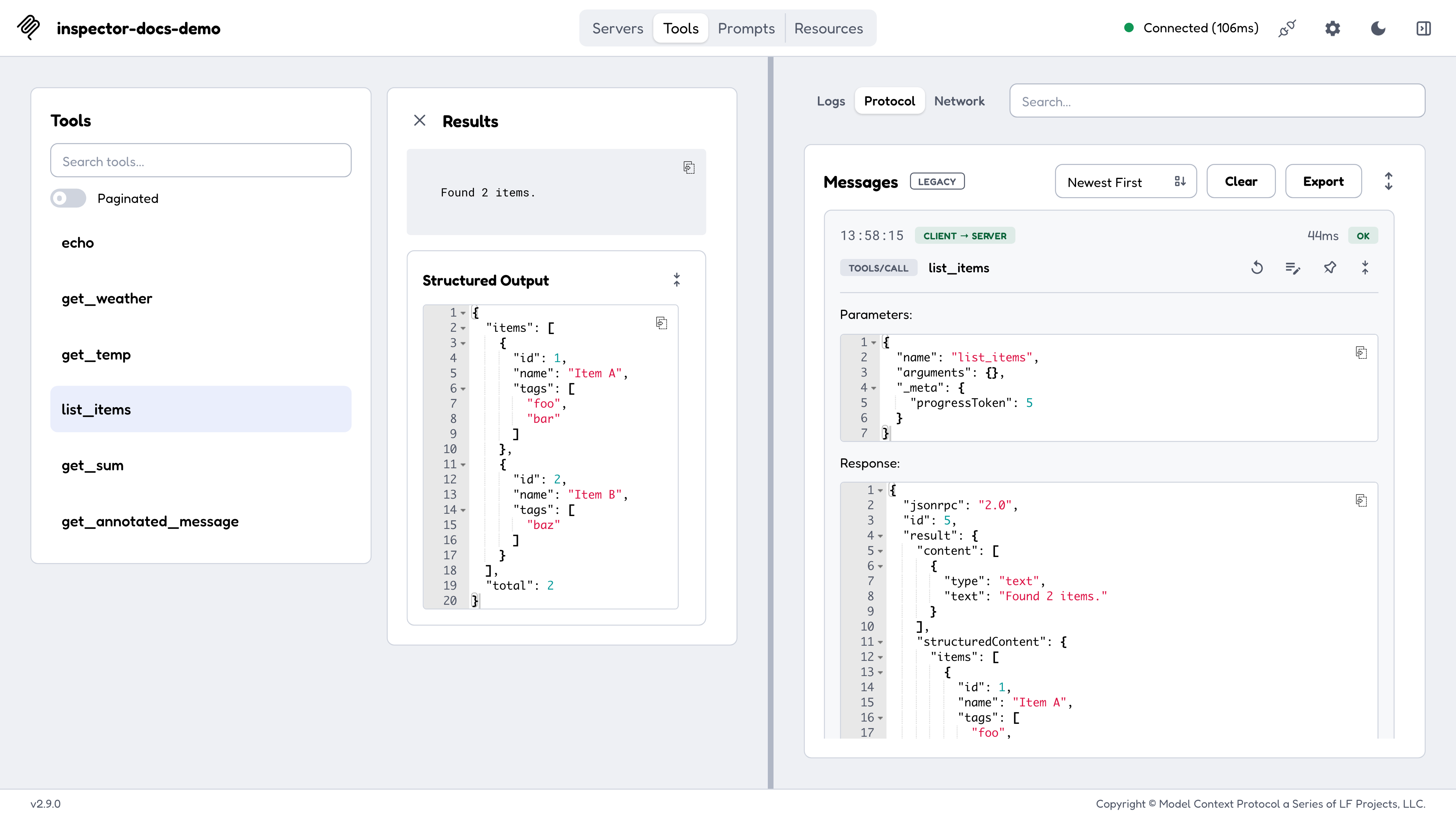
Quickstart
The Inspector requires Node 22.19.0 or newer and runs directly through npx. No installation is required:
Web
# Launch the web UI and connect to a local stdio server
npx @modelcontextprotocol/inspector node path/to/server/index.js

# Or launch with no target and add servers from the UI
npx @modelcontextprotocol/inspector
The command prints a URL carrying a per-launch API token and opens it in your browser (set MCP_AUTO_OPEN_ENABLED=false to stop it opening). See Web client.
CLI
# List a server's tools and exit
npx @modelcontextprotocol/inspector --cli node path/to/server/index.js --method tools/list

# Call a tool and pipe the result into jq
npx @modelcontextprotocol/inspector --cli https://api.example.com/mcp --transport http \
  --method tools/call --tool-name get_weather --tool-arg city=Boston --format json | jq .result
See CLI client.
TUI
npx @modelcontextprotocol/inspector --tui node path/to/server/index.jsSee TUI client.
Inspecting published servers
Pass the command that launches the server as the Inspector’s arguments, or point it at a remote server with --server-url:
npm package
npx -y @modelcontextprotocol/inspector npx @modelcontextprotocol/server-filesystem ~/DesktopPyPI package
npx @modelcontextprotocol/inspector uvx mcp-server-git --repository ~/code/mcp/servers.gitRemote HTTP server
npx @modelcontextprotocol/inspector --server-url https://api.example.com/mcp --transport httpAlways read a server’s own README first, since every server requires different commands and arguments.
env: values) in the OS keychain when one is available. On a machine with
no keychain (Linux without libsecret or a Secret Service, headless and SSH
sessions, Termux, and containers with a mounted volume) they are saved to
~/.mcp-inspector/secrets.json instead, unencrypted unless you supply a
key. See Where secrets are
stored
for how to get a keychain back, encrypt the file, or keep secrets in memory
only.Launcher flags vs. client flags
mcp-inspector, the binary that npx @modelcontextprotocol/inspector runs, is a thin launcher. It owns only two things:
- The mode flag:
--web(default),--cli, or--tui. At most one; passing two errors withSpecify at most one of --web, --cli, or --tui. -h/--help.
Everything else (--catalog, --config, --server-url, --transport, --method, the OAuth flags) is defined by the client, not the launcher, and the clients do not all define the same set. The Configuration and flags page is organized that way, by owner.
Mode flags are recognized only at the front of the command line: the first token that isn’t --web / --cli / --tui ends launcher parsing, and everything after it is forwarded to the client unchanged. That’s what lets a literal --cli appear later as one of your server’s own arguments:
mcp-inspector --cli node server.js --cli # mode is CLI; the trailing --cli goes to server.js--help behaves differently with and without a mode flag. Without one,
-h/--help anywhere on the command line (even after a server command)
prints the launcher’s help and exits. With a mode flag it is forwarded, so
mcp-inspector --cli --help prints the CLI’s full flag reference instead.Where to go next
Web client
A tab-by-tab walkthrough of the graphical inspector.
CLI client
Method reference, output formats, exit codes, and CI recipes.
TUI client
Terminal navigation and keyboard reference.
Configuration and flags
Catalog vs. config files, the full per-client flag reference, and environment variables.
Authorization
The OAuth flow end to end, mid-session re-authorization, and loopback callbacks.
Protocol eras
Legacy vs. modern (2026-07-28) operation, and how every tab changes between protocol eras.
mcpdo connection client
Connect once, then run many commands against a named connection.
Security
The threat model: the web backend’s token, Docker, secret storage, stdio servers, and the mcpdo daemon.
Recipes
Importing client configs, reviewing MCP Apps, Docker, and network hosting.
Debugging guide
Broader debugging strategies beyond the Inspector.